需要先打开仓库
插件的安装是基于仓库的
安装插件
安装以下几个插件
git
Custom Attachment Location
Enhancing Export(其实不需要)
安装后需要启用
设置插件
git
电脑端设置
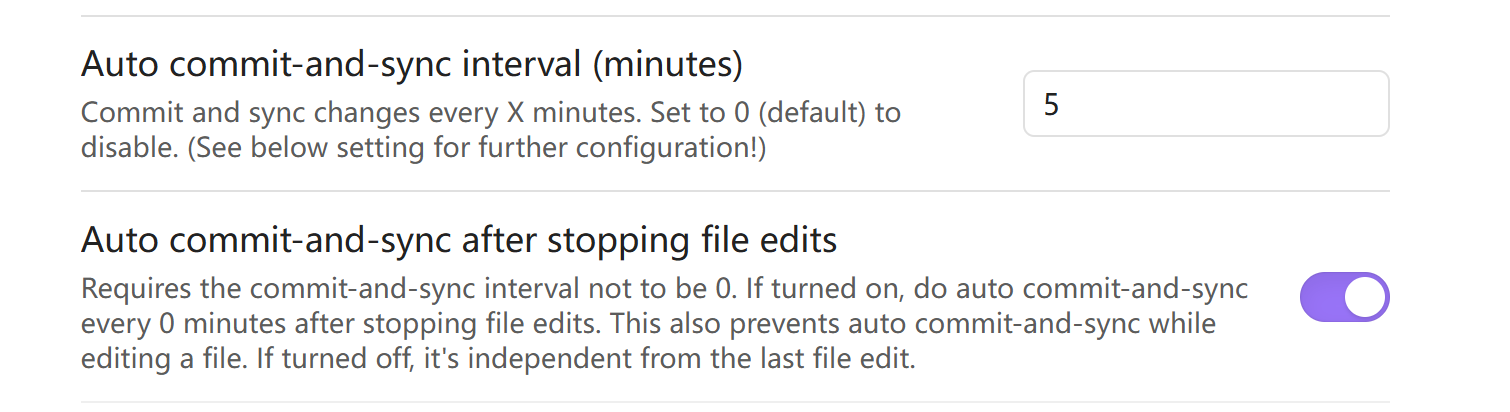
设置自动提交
Automatic ->
Auto commit-and-sync after stopping file edits -> 开启 # 开启后,每次编辑文件后,会自动提交并同步到仓库
Auto commit-and-sync interval (minutes)-> 5 # 自动提交同步的时间间隔,单位为分钟
设置自动拉取
Pull ->
Pull On Startup -> 开启 # 开启后,每次启动obsidian时,会自动拉取仓库的最新内容
移动端设置
设置github邮箱、名字、token
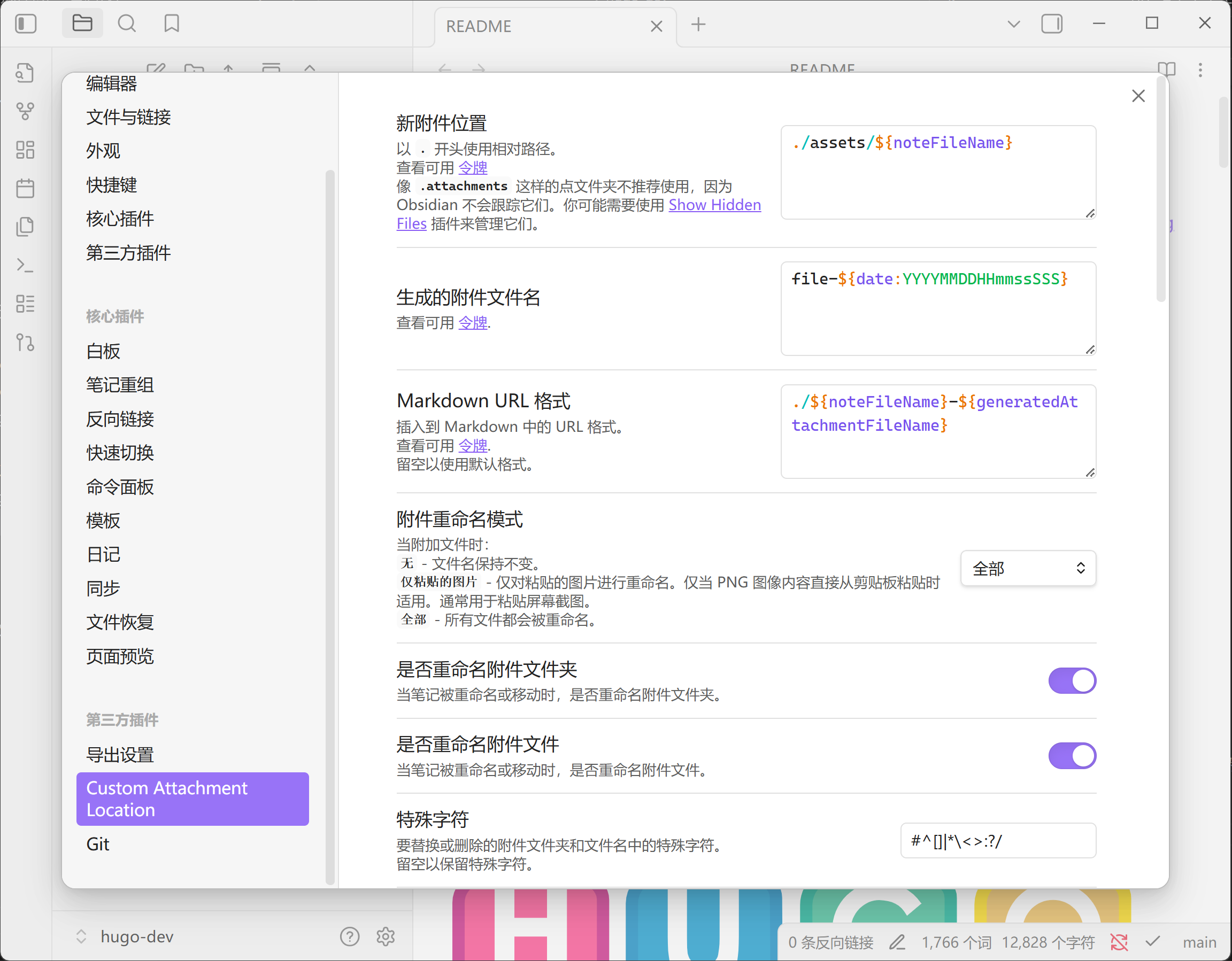
Custom Attachment Location
附件存储位置设置
Markdown url 格式 -> ./${noteFileName}-${generatedAttachmentFileName} # 附件的Markdown url格式,${noteFileName}为笔记文件名,${generatedAttachmentFileName}为生成的附件文件名
文件与链接
关闭 使用wiki链接
内部链接类型 修改为基于当前笔记的相对路径

Enhancing Export(可不用)
导出设置
下载pandoc
将pandoc.exe路径填入Pandoc加入到环境变量中,让程序可以调用